![Favicon.png]](https://help.fieldcontrolanalytics.com/hs-fs/hubfs/Favicon.png?height=50&name=Favicon.png)
Overview
Managing workers’ drug testing requirements is part of coordinating access to your jobsite. Field Control Analytics (FCA) offers a variety of drug testing services that can be associated with badge access for a project, helping you manage testing requirements alongside your workforce access needs.
FCA’s platform allows you to configure drug testing at the project level. These settings give your team a centralized way to define project-specific testing requirements and manage them with less administrative effort. The sections below explain how company admin access worker's drug tests within the FCA platform.
Drug Testing Requirements: Project Level
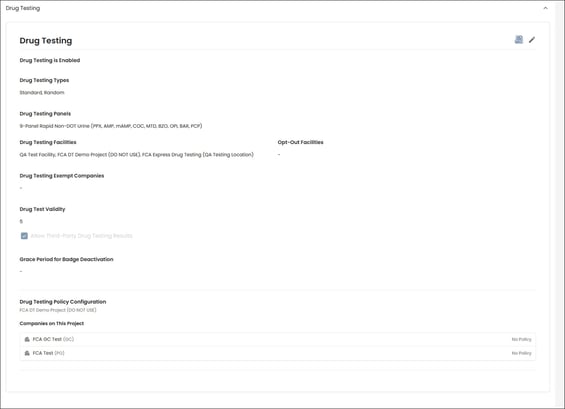
Drug testing requirements are configured during project setup in coordination with the project team.
To view a project’s requirements:
-
Access the project
-
Select the Information tab
-
Navigate to the Drug Testing section
Worker Profile: Drug Testing
FCA Web Platform
Administrators can view workers’ drug testing information in the FCA web platform. The information available depends on the administrator’s role, project access, and the project’s GC control settings.
-
GC Admins and GC project-specific admins: Can view drug testing information for all workers within a project, subject to the project’s GC control settings.
-
Company Admins and Company project-specific admins: Can view drug testing information for workers within their own company. Access to a worker’s testing history across projects depends on the administrator’s assigned access in the FCA platform.
Workers will schedule their drug test appointment during the onboarding process for a project.
To view a worker's drug testing status/results,
Select the worker's profile from the Worker tab within a project
Click on the Drug Testing tab
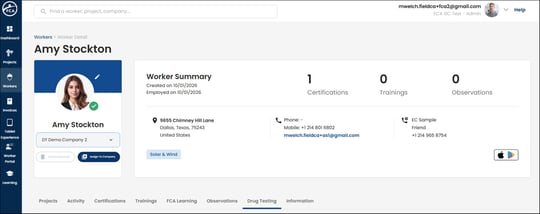
During project onboarding, workers schedule their drug test appointment at an FCA-contracted clinic or an onsite testing location at the project.
Testing Statuses
A worker’s testing status updates as they progress through the screening process:
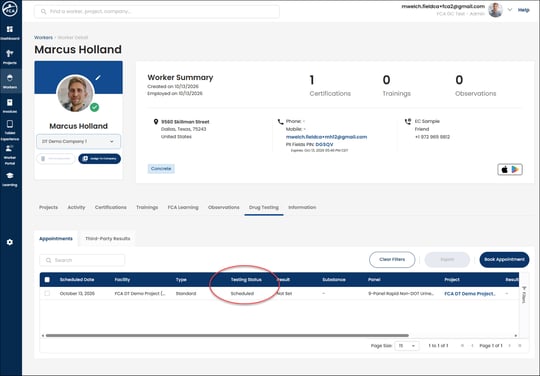
Scheduled: The worker has scheduled a drug test at a designated testing location.
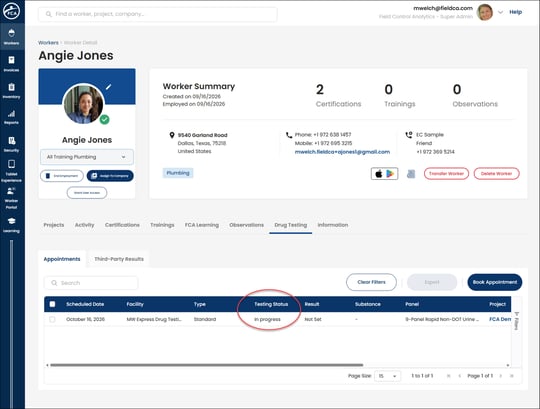
In Progress: The worker has started the screening process at a testing facility or project jobsite.
Missed Appointment: The worker did not attend their scheduled appointment. The appointment remains active in this status for 30 days.
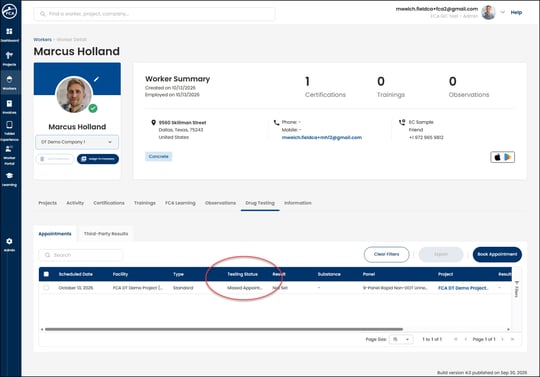
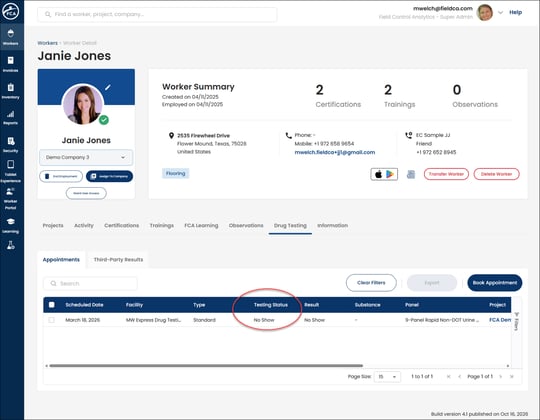
No Show: After 30 days in Missed Appointment status, the appointment changes to No Show. The worker must then schedule a new appointment.
Depending on project protocols, FCA also supports random and post-accident drug testing in addition to the standard drug test required for badge access.
Drug Test Result & Badge Statuses
When a project requires drug testing for badge access, workers must complete the required test before a badge can be issued. A worker’s badge status is directly tied to their final drug test result.
Drug Test Results
Use the results below to understand how drug testing affects a worker’s badge status.
Access Control Projects
Negative result: Badge processing by project type
-
Access Control Projects: The badge can be printed, activated, and tagged.
-
Non-Access Control Projects: The badge is automatically activated and added to the print queue for mailing to the employer or project.
All project types: Other results
Non-conclusive result: The badge status is deactivated while awaiting a final result from the Medical Review Officer (MRO). It remains deactivated until the MRO enters the final result.
Invalid result: The badge status is Denied.
Positive: The badge status is Denied.
FCA Jobsite App
Administrators can view workers’ drug testing information in the FCA web platform. The information available depends on the administrator’s role, project access, and the project’s GC control settings.
-
GC Admins and GC project-specific admins: Can view drug testing information for all workers within a project, subject to the project’s GC control settings.
-
Company Admins and Company project-specific admins: Can view drug testing information for workers within their own company. Access to a worker’s testing history across projects depends on the administrator’s assigned access in the FCA platform.
A worker's drug test information will be under their profile in the FCA Jobsite app under the Drug Testing tab.
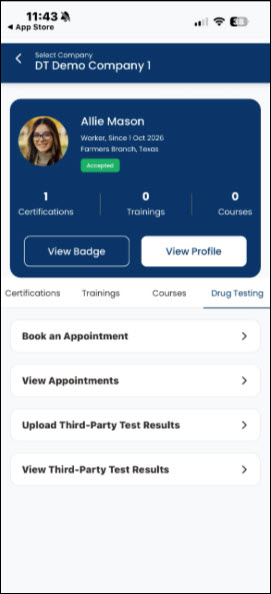
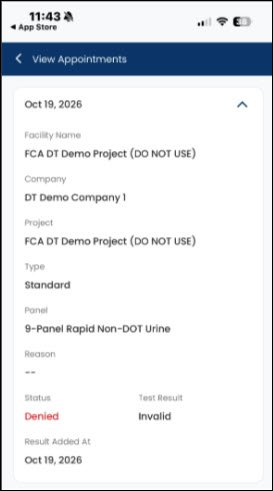
GC Admins and GC project-specific admins have the ability to Book an Appointment for the worker through the FCA Jobsite app, if needed
|
Term |
Definition |
|---|---|
|
Medical Review Officer (MRO) |
The user responsible for reviewing and entering drug test results that require medical review |
|
Non-Conclusive |
A drug test result that requires MRO review before a final result is recorded |
|
Sent to Lab |
A drug test result that has been sent for laboratory analysis and is awaiting a final result |
|
Third-Party Result |
A drug test result from a provider outside FCA facilities that a worker uploads for admin approval |
|
Random Test |
A drug test requested by a client for workers selected through the random test list generator |
|
Post-Accident Test |
A drug test ordered for a worker following an incident on a project |
|
Renewal Test |
A drug test prompted automatically when a worker's badge nears expiration |