![Favicon.png]](https://help.fieldcontrolanalytics.com/hs-fs/hubfs/Favicon.png?height=50&name=Favicon.png)
Overview
If your project requires drug testing, you must satisfy that requirement before your badge can be issued for jobsite access. Field Control Analytics (FCA) links your drug test result to your badge status based on the project’s requirements.
This guide explains how to schedule a drug test, upload third-party results, and check the approval status of your submission in the FCA Worker app and FCA Worker Portal.
Project Onboarding: Scheduling a Drug Test Appointment
During onboarding, you’ll schedule your drug test at an FCA-contracted clinic or an onsite testing location. Attending your appointment is one step in the process. Your test result determines how your badge status is updated.
FCA Worker App
Book an Appointment
Scheduling an appointment does not complete the drug testing requirement. You must attend the appointment, and your test result must meet the project’s requirements before your badge can be issued.
After signing the project consent and drug test disclosure, follow these steps in the FCA Worker app:
Open the Projects tab.
Select the project card for the project that requires your drug test.
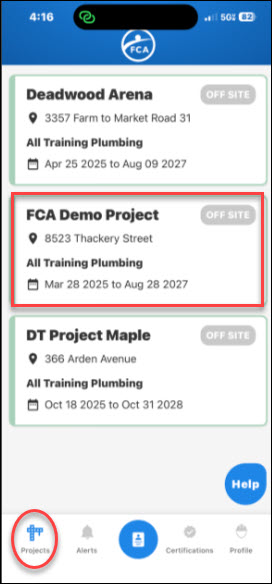
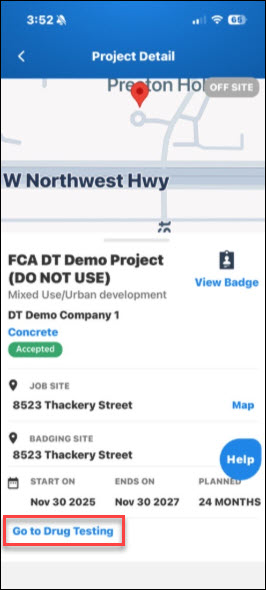
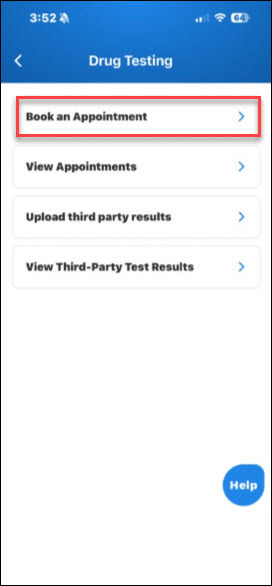
Select Book an Appointment
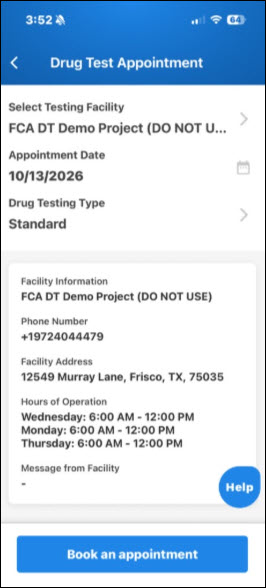
Select a Testing Facility from list
Choose an Appointment Date
Select the Drug Testing Type
Select Book Appointment to complete your booking.
All workers must have a standard drug test before their initial badge can be issued.
Third-party drug test results
If your project accepts third-party results, you can upload them through the FCA Worker app. A company admin or general contractor (GC) admin must approve your submission before it satisfies the project’s drug testing requirement.
To submit your results:
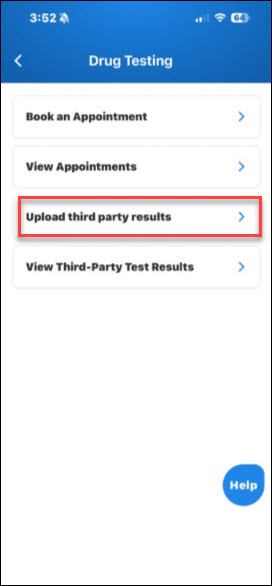
Select Upload third party results
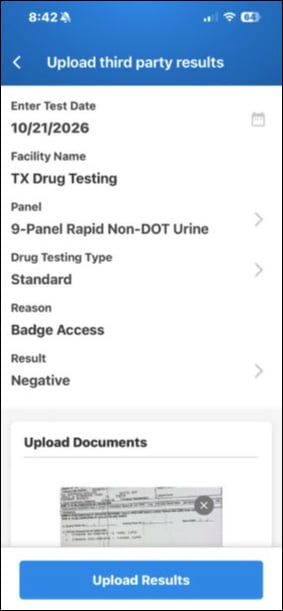
Select the Test Date
Enter the Facility Name where you obtained the drug test result
Choose the Panel
Choose the Drug Testing Type
Enter the Reason
Enter the Result
Select Upload Results
Check your third-party result status
Third-party results entered directly by a worker must be approved by a company admin or GC admin before the third-party result will satisfy the drug testing requirement for a project.
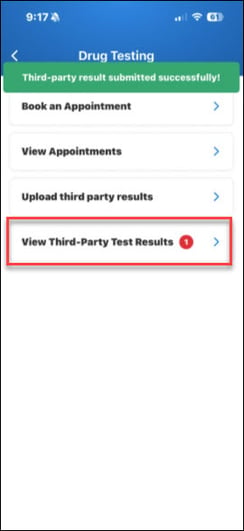
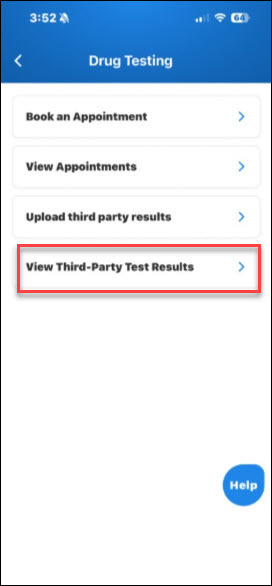
Select View Third-Party Test Results to check the status of your submission.
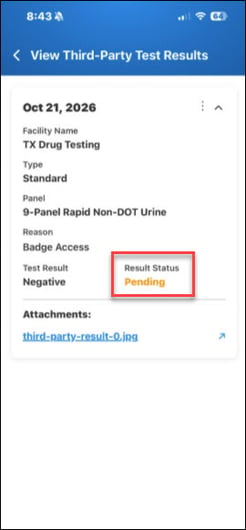
Pending
Your submission is awaiting review by a company admin or GC admin. You’ll see the results pending approval icon while your submission is pending. The submission does not satisfy the project’s drug testing requirement until it is approved.
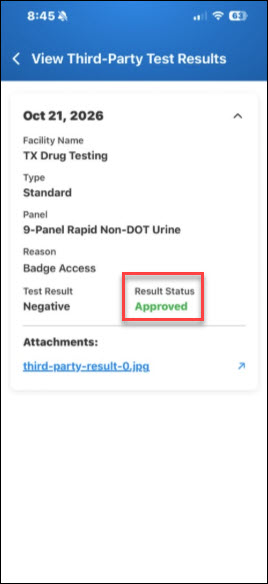
Approved
A company admin or GC admin has approved your submission. The results pending approval icon will no longer appear, and your result status will display as **Approved**.
An approved third-party result satisfies the drug testing requirement for a project that accepts third-party results, allowing your badge to be issued once all other project requirements are met.
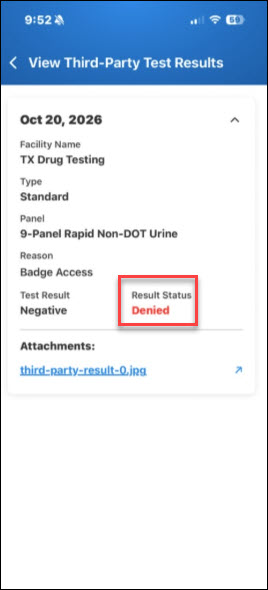
Denied
Your uploaded submission was not approved.
Upload a new third-party result for a company admin or GC admin to review.
FCA Worker Portal
Book an Appointment
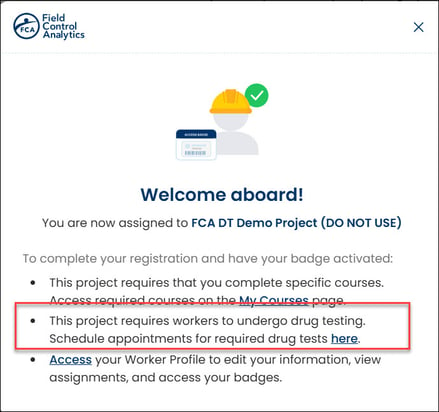
If your project requires drug testing, your Welcome Aboard message will include a link to the drug testing section after you sign the consent form. Use this link to schedule your appointment.
Scheduling an appointment does not complete the drug testing requirement. You must attend the appointment, and your test result must meet the project’s requirements before your badge can be issued.
Select Book an Appointment to schedule a new drug testing appointment
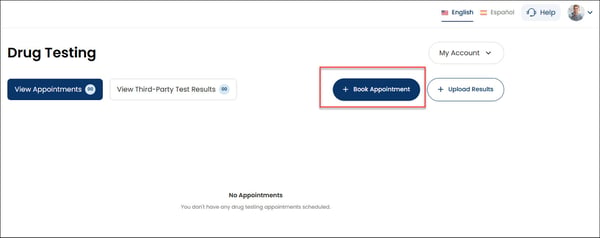
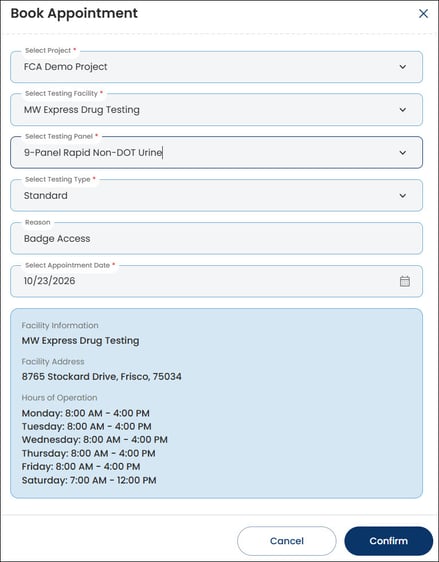
Select the Project that requires your drug test.
Select the Testing Facility from the list
Select the Testing Panel
Select the Testing Type
Enter a Reason for the test.
Select the Appointment Date
Select Confirm to complete your booking.
Facility information appears after you make your selection. Review the location to make sure you can attend before continuing.
Track your appointment and test result
Go to My Account > Drug Testing to view your appointment information and check for updates.
Your appointment status and test result tell you different things:
Appointment status shows where you are in the testing process, such as whether your appointment is scheduled.
Test result shows the outcome of your drug test once it has been entered in the FCA platform.
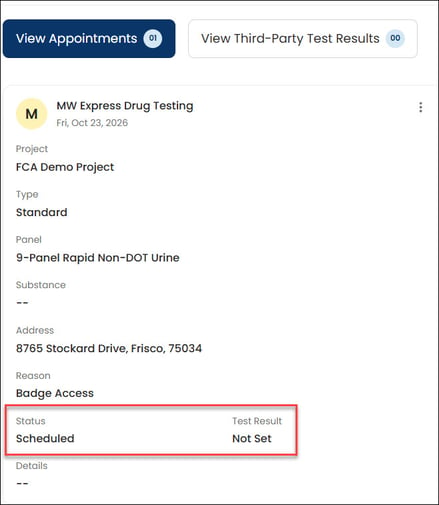
Immediately after booking, you’ll see:
Status: Scheduled — your appointment has been booked. -
Test Result: Not Set — a test result has not yet been entered. This is not a negative or positive result.
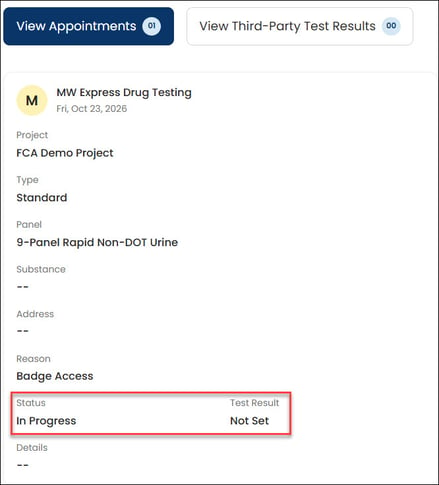
When you arrive at the facility, staff will verify your arrival as part of the testing process.
Verification is a process step, not a test result.
Once your result is entered in the FCA platform, you can review it under My Account > Drug Testing.
Understand your result and its effect on your badge
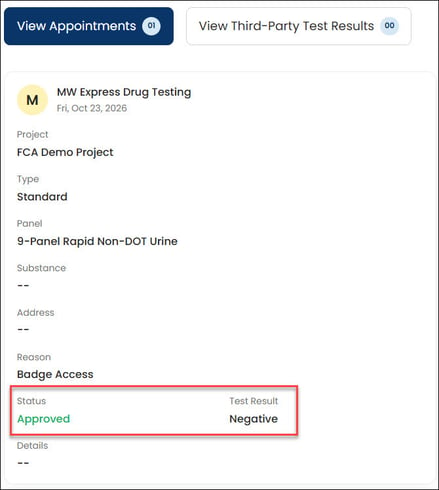
Negative
A negative drug testing result satisfies the drug testing requirement.
Your badge can be issued once all other project requirements are met.
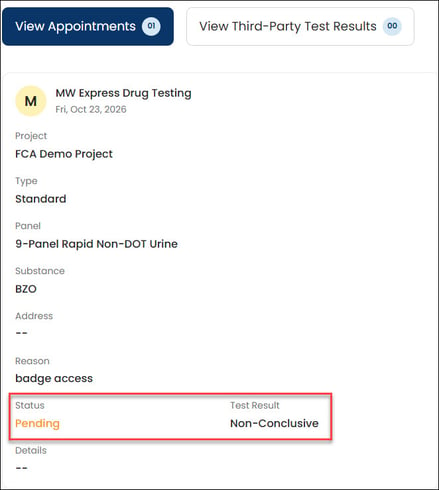
Non-conclusive
A non-conclusive testing result is not a final result. It remains pending until the Medical Review Officer (MRO) enters the final result in the FCA platform.
The final result determines how the drug testing requirement affects your badge eligibility.
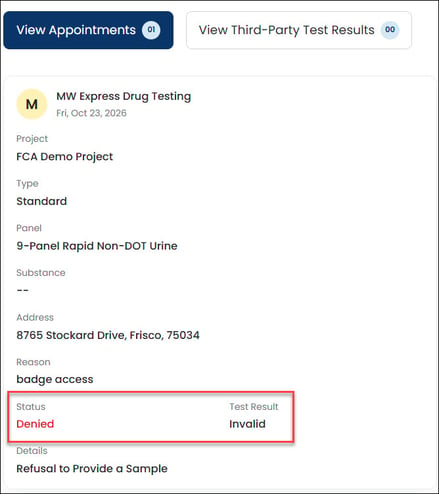
Invalid
An invalid drug testing result prevents your badge from being issued.
It does not satisfy the project’s drug testing requirement.
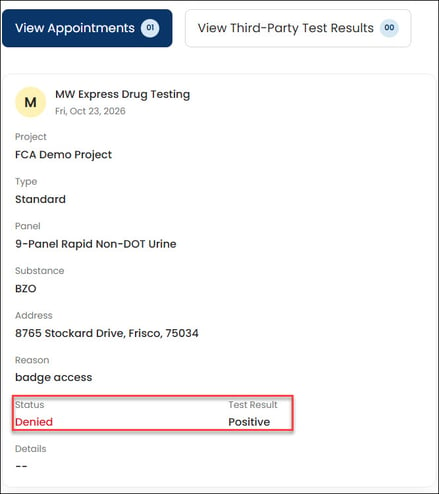
Positive
A positive drug testing result entered by the MRO prevents your badge from being issued.
Remember: Booking an appointment, arriving at the facility, and receiving a test result are separate steps. Your test result—not the appointment alone—determines whether you satisfy the project’s drug testing requirement.